Purpose: #
A quick guide on how to factory reset the Yealink AX83H Handset phone
Process: #
Getting Details #
If you need to get the MAC or IPv4 address, click the middle ‘Menu’ button and navigate to ‘Status’. In the status page look for IPv4
How to Factory Reset #
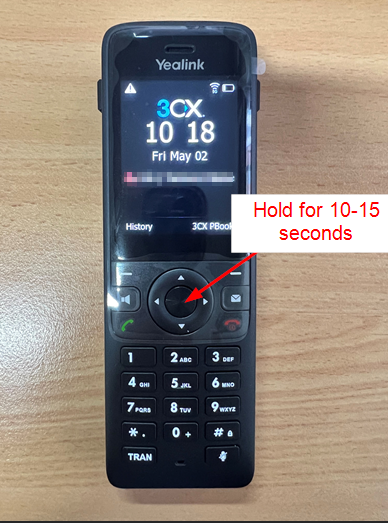
1. On the phone click and hold the button in the middle of the directional arrows
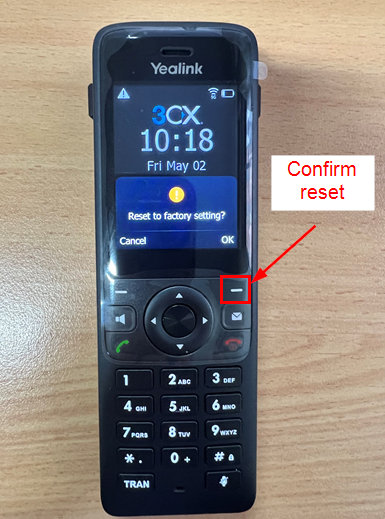
2. Confirm the factory reset by clicking on the left ‘-‘ button
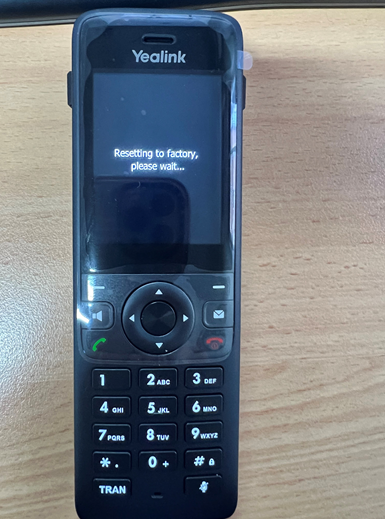
3. Your phone is now reset! Wait for the settings to clear